
For any team with a mission to tell
Your mission has more stories than your team has hours. StoryOS finds them, makes them and gets them out.
One workspace for the team that tells your mission's stories, from a small comms office to a large enterprise. Find the stories in your archive, plan and film them, get a first cut, post to every channel and show your board and funders what happened. Cue, your AI teammate, helps at every step. Your team approves each one.
We set up each team by hand. Most see their first cut in a week.


The platform
One path from idea to impact.
Six steps, in the order a story moves. Cue works in every one.
Cue guides each step and recommends what to do next. Cue learns your organization from your org profile, your transcripts and your story graph.
Plan
Set the year's goals and plan each story's shots and questions.
Cue helps by drafting the year's goals from five questions, and asking you when a goal is unclear.
Idea
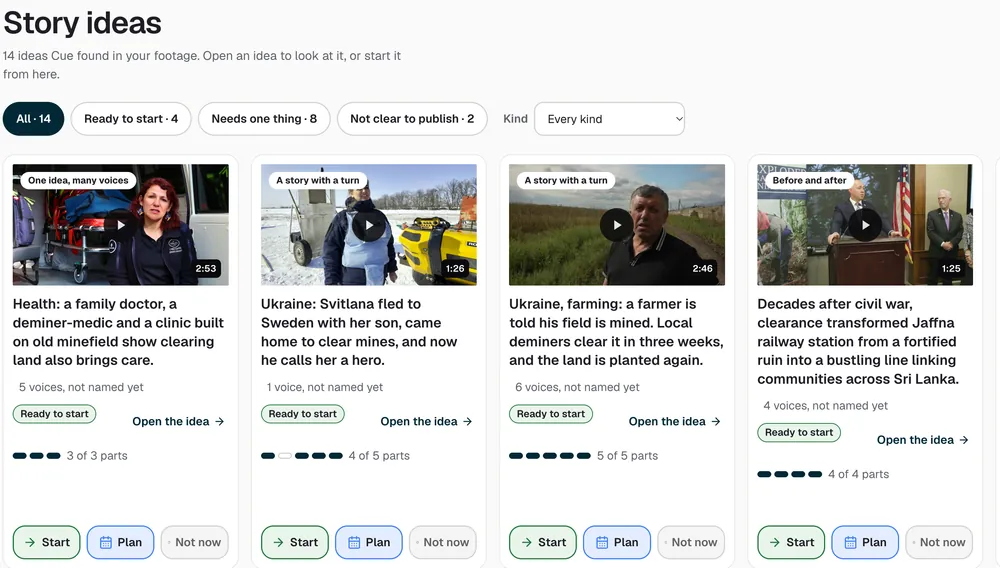
Ideas come from many places. StoryMine finds stories in your archive. More come from your plan and goals, from interviews, from Cue's suggestions and from ideas you want to run again.
Cue helps by suggesting ideas with a one-line pitch and why each matters now.
Film
Film with what you have. Bring files from pro cameras like RED, DJI and Sony with their camera LUTs, record in the browser or on your iPhone with StoryOS Capture, or find production talent in the marketplace.
Cue helps by prompting the interview questions while you record.
Edit
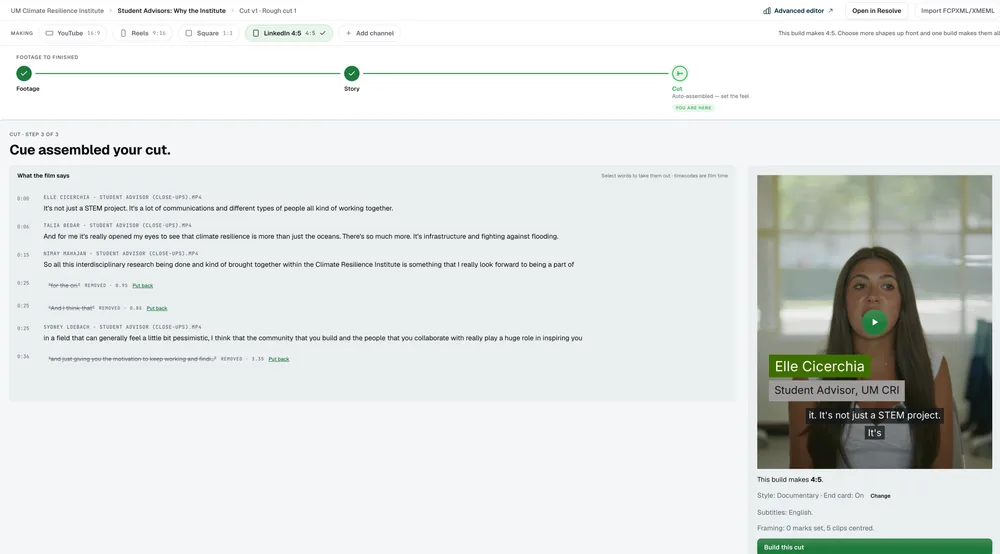
The first cut builds itself. Your library is searchable the moment files land.
Cue helps by proposing edits and suggesting clips. You say Yes, or Undo.
Share
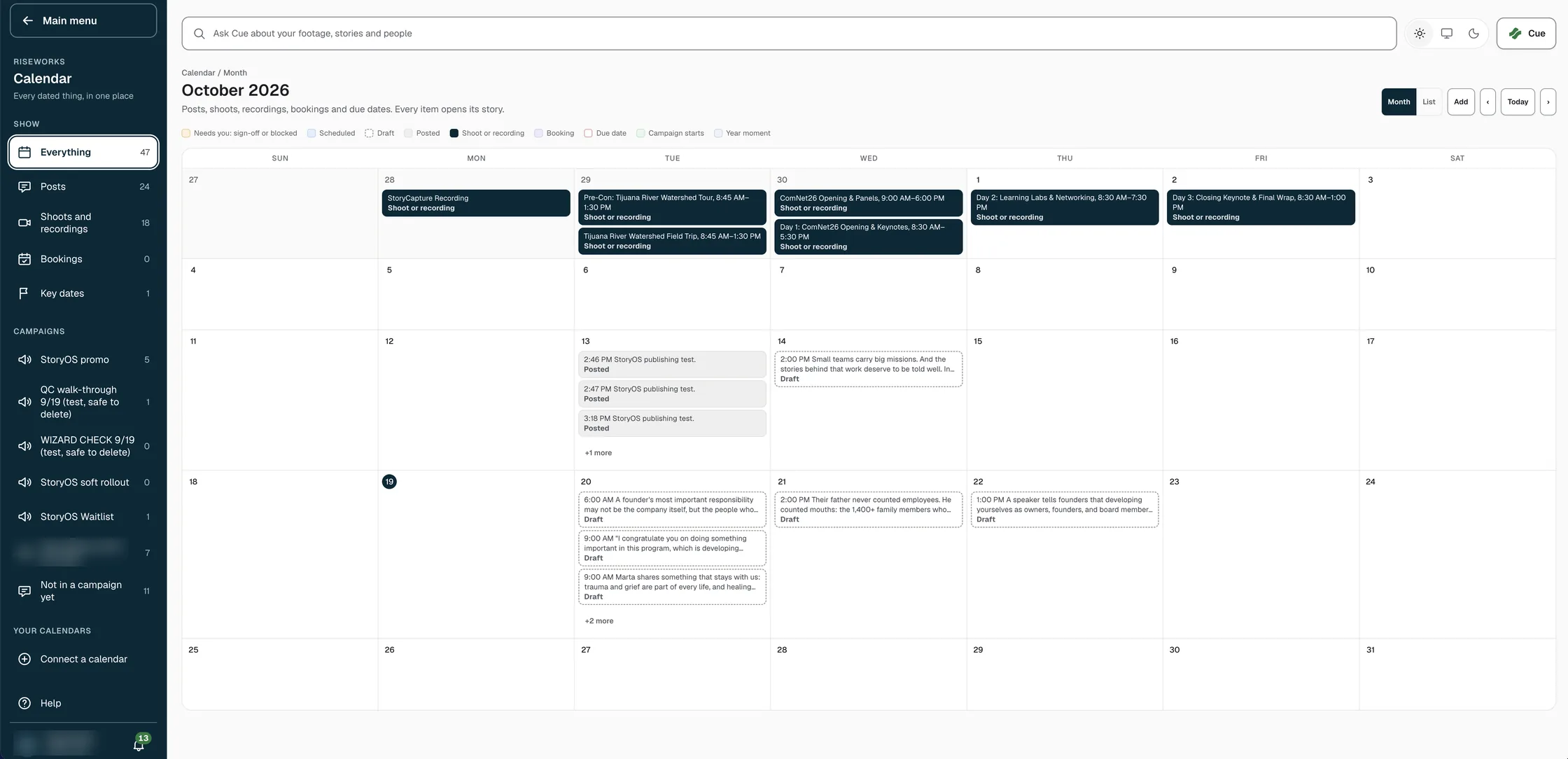
A cut for each channel, on your schedule.
Cue helps by lining up posts for each channel at the best time.
Impact
See how each story did.
Cue helps by keeping each story's results beside the story, ready to share.
StoryOS Capture
Record anywhere. The footage finds its project.
Record anywhere
Your iPhone is the camera. Interviews, events and b-roll, wherever the story is.
Files land in the project
Each recording lands in the project it belongs to.
Cue prompts the interview
Cue prompts the interview questions while you record.
 Android is coming soon.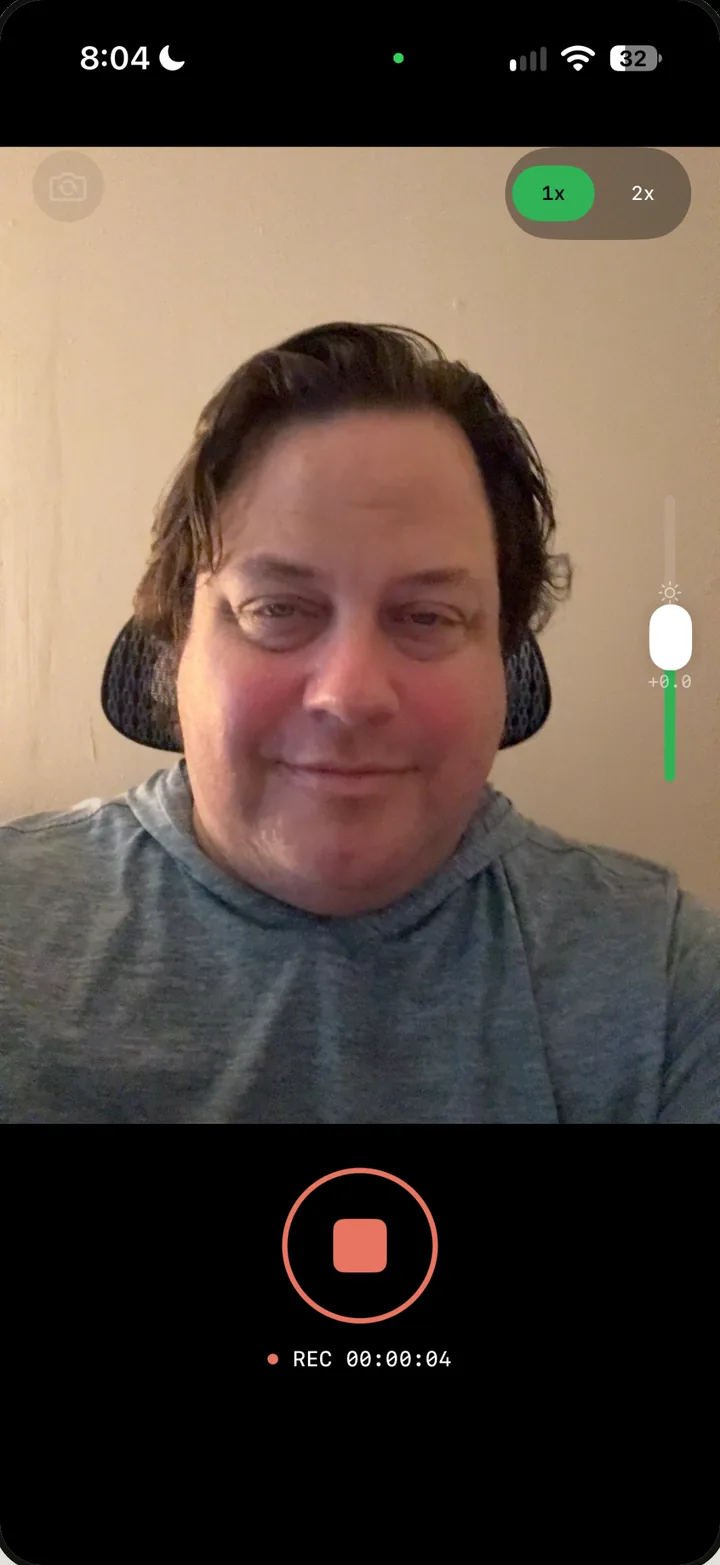
Production talent marketplace
Find the people to film it.
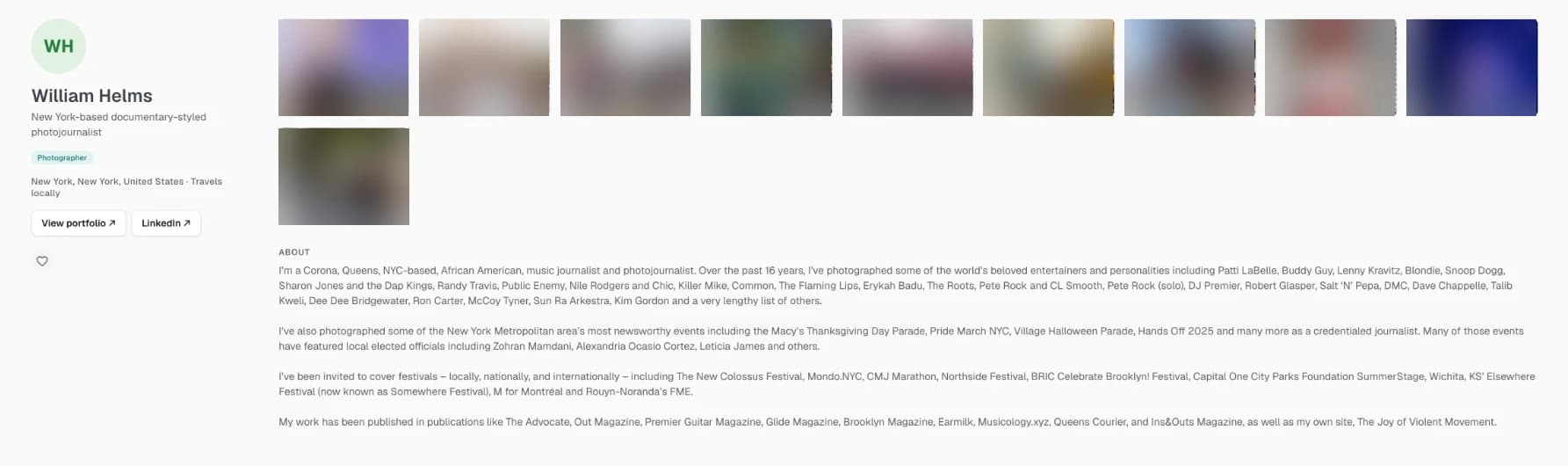
Find videographers, photographers, editors, colorists, audio engineers, motion graphics artists and drone operators for your projects. Filter by local, regional, national or remote, and by people open to pro bono work.
See the marketplace →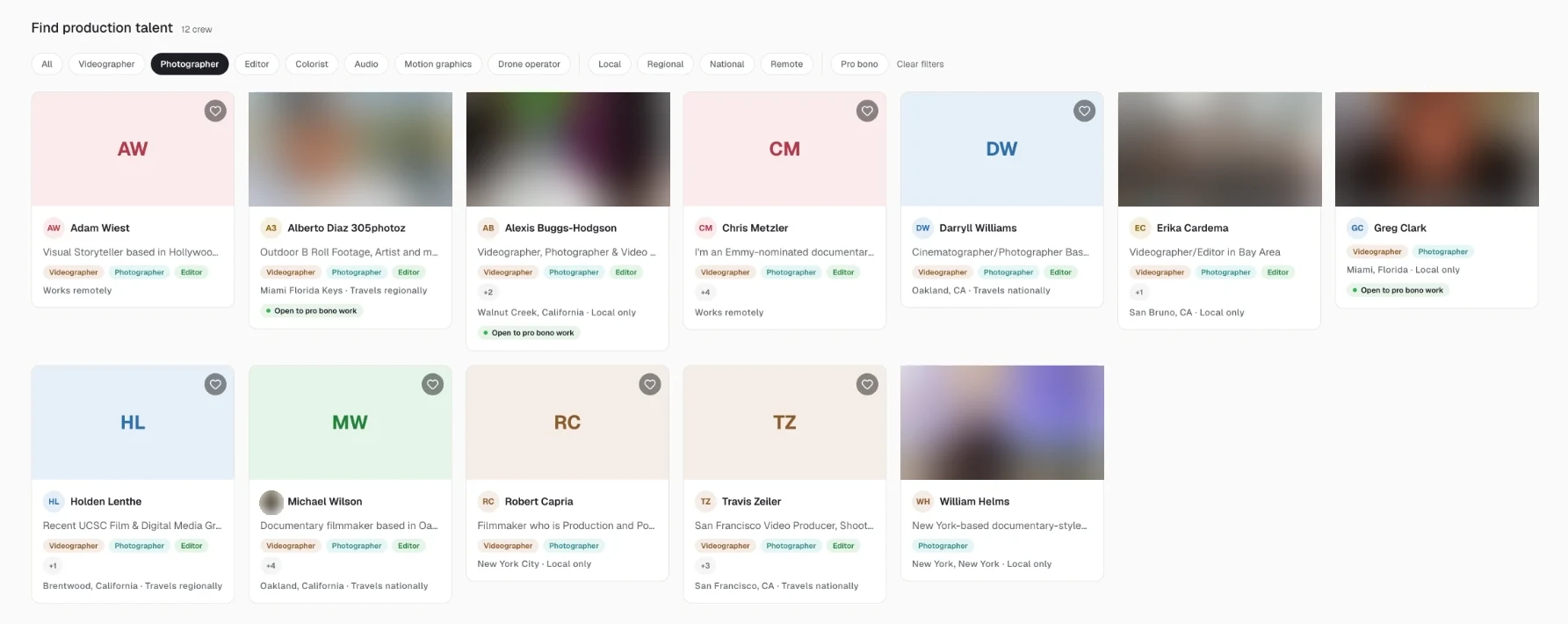
Every language
Interviews in the language people speak.
StoryMine reads an interview in its own language and shows each line in English beside it, so your team can build the story without a translator in the room. The speaker's own words stay in the cut. Teams around the world can find and tell their stories from the footage they already have.
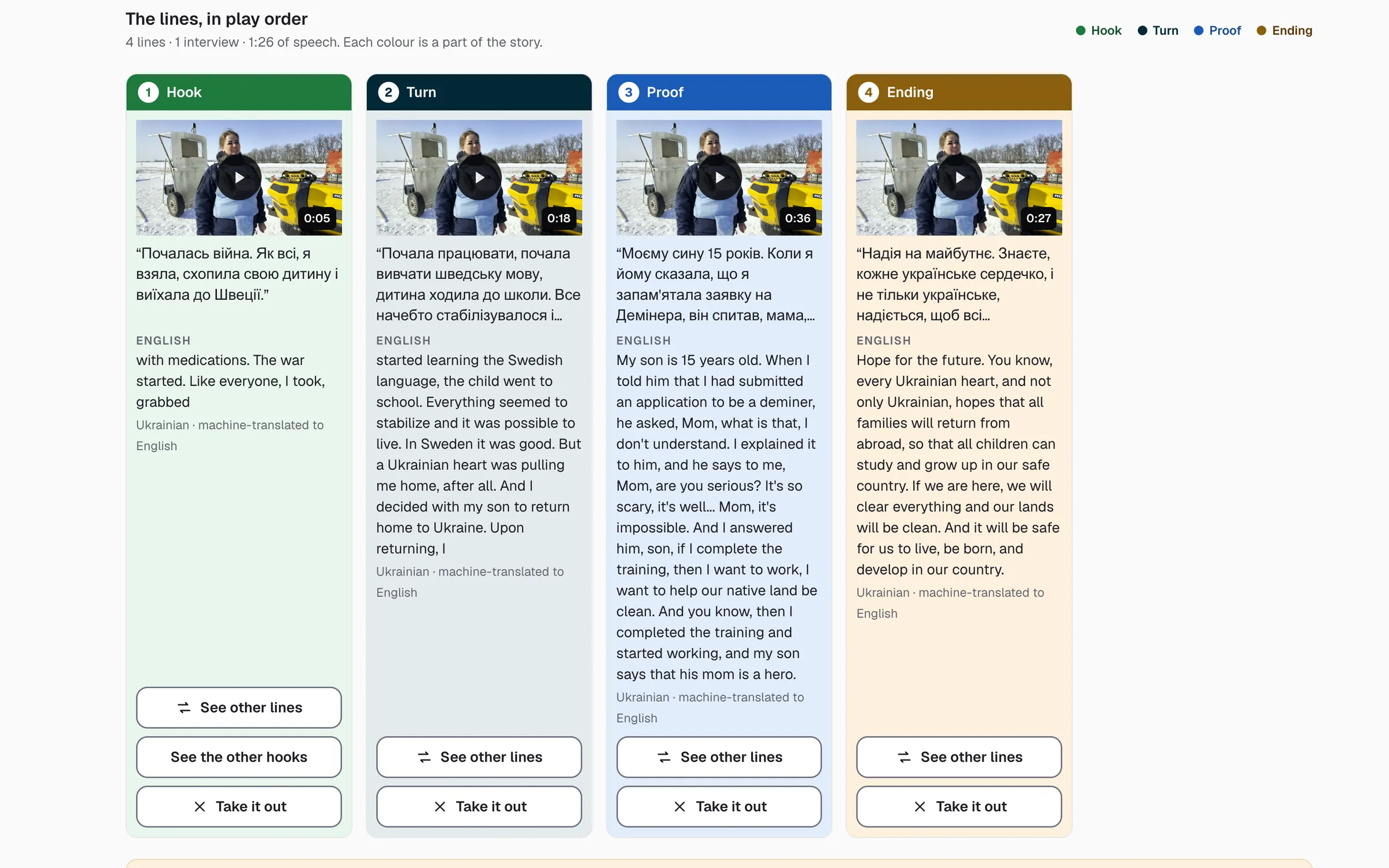
Here a Ukrainian interview becomes a four-part story. Each line shows the original and a machine translation to English.
Cue
Cue adds guidance and insight to every part of the story.
Cue is your AI teammate inside StoryOS. A person approves anything final.
- Asks the right questionWhen something is unclear, Cue asks a person on your team before it guesses.
- Recommends the next stepEvery story shows what needs you next.
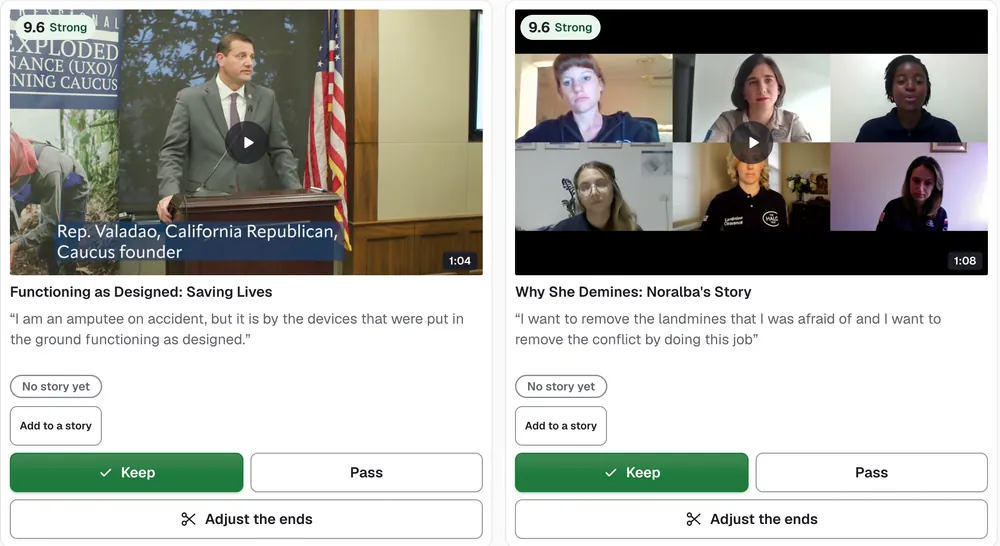
- Suggests clipsCue finds the best moments in your footage and scores each one.
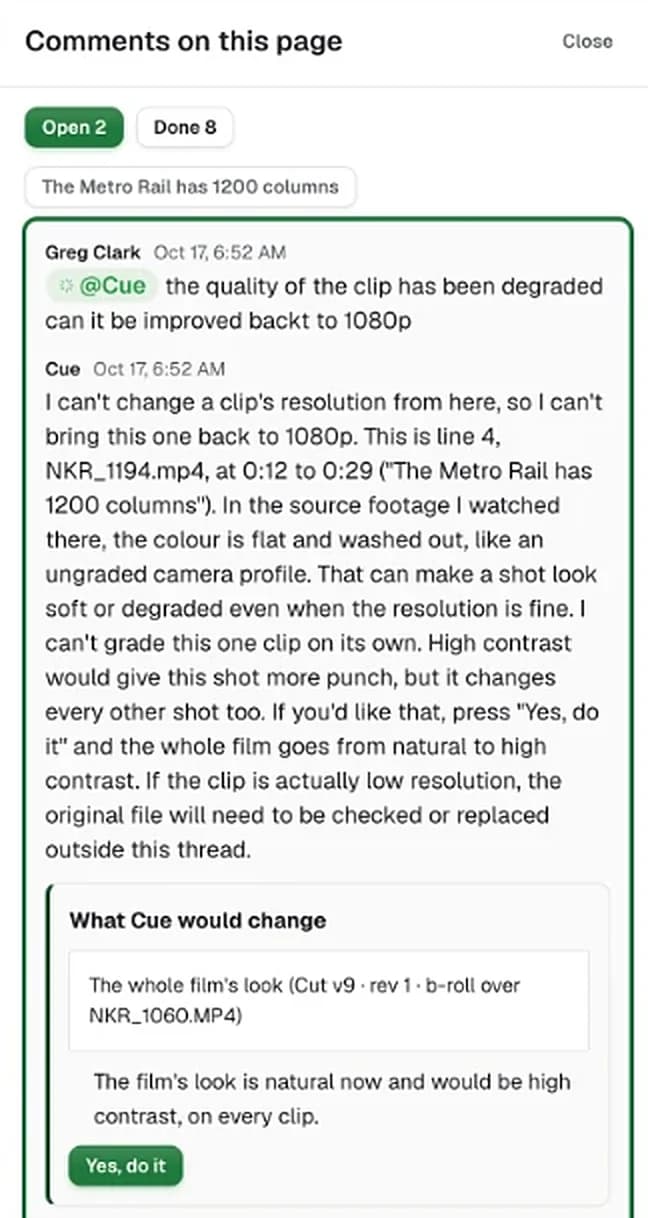
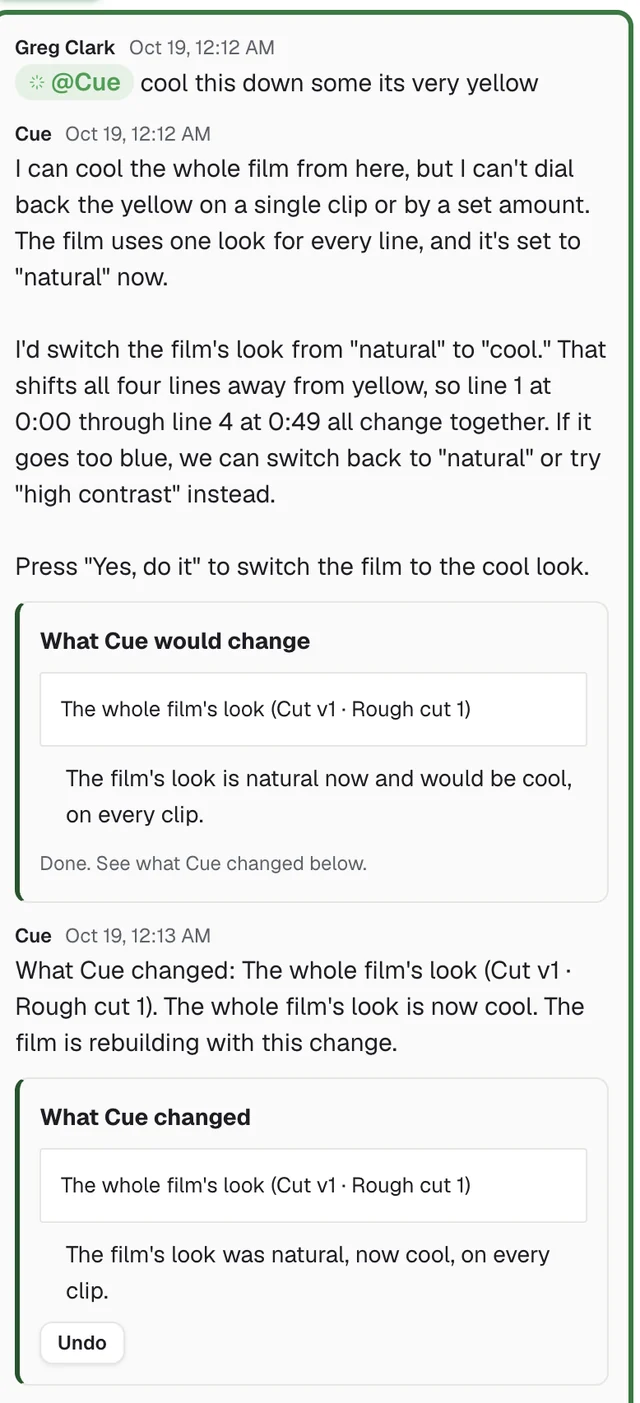
- Proposes editsEach change comes with Yes and Undo.
- Learns your organizationCue reads your org profile, your transcripts and your story graph.
The storyboard
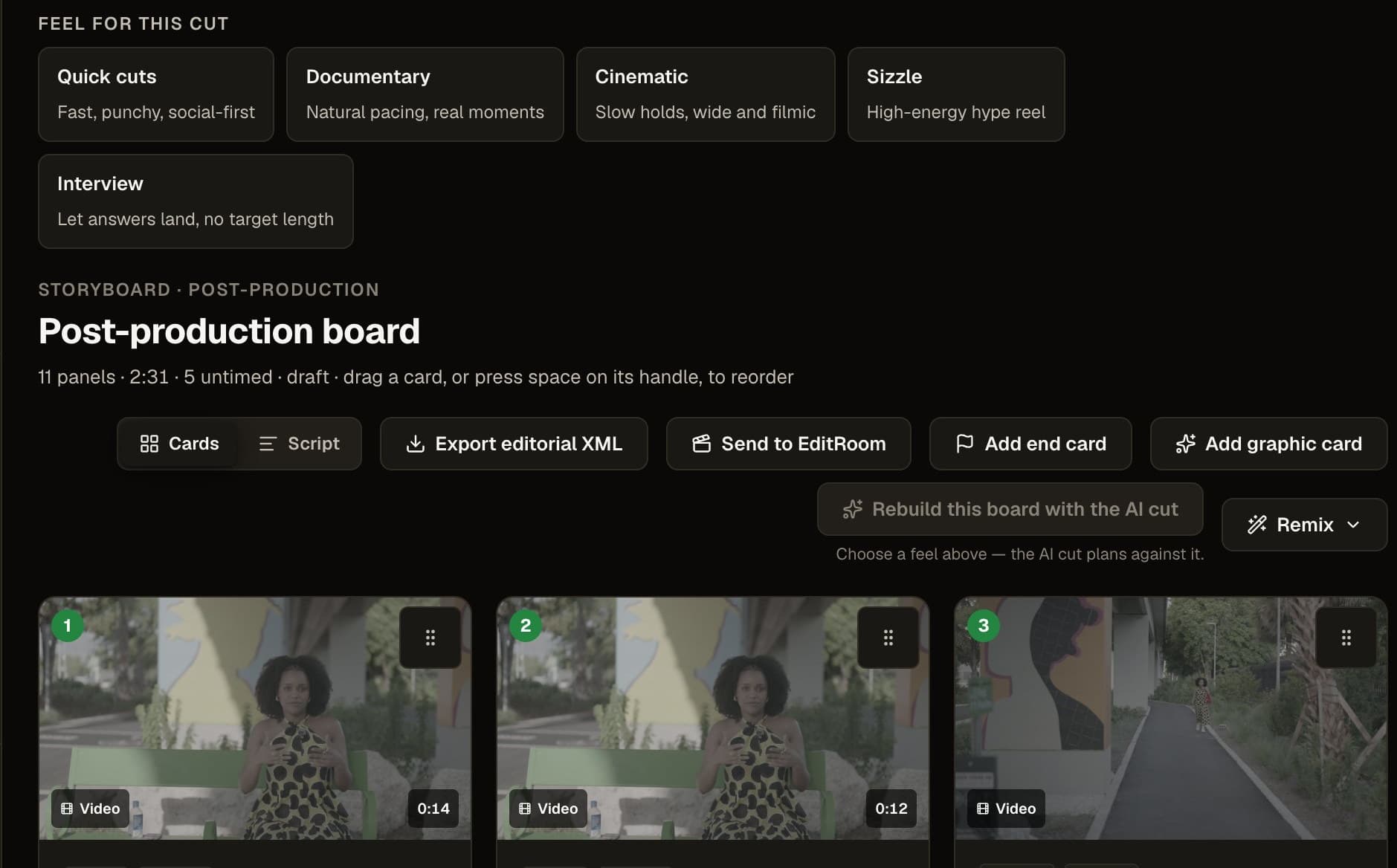
Your cut, scored before anyone exports it.
Every beat timed to the source footage. Pick a feel, reorder by hand, then send it to the Edit page or export EDL, FCPXML, or Premiere XML.
Exit one · your editor
Take the board to your NLE.
Export EDL, FCPXML, or Premiere XML with every beat timed. Your editor opens it in Premiere or Final Cut. Cue in DaVinci Resolve is coming soon.
Exit two · the system
Or send it to the Edit Room.
The first cut builds itself, and the transcript sits beside it. Cross a sentence out and the video gets shorter. Pick your channels up front and StoryOS builds a cut for each: YouTube, LinkedIn, Instagram, and more.
Live now
What you can make today.
 Channel cuts
One shoot, a cut for every channel
YouTube, LinkedIn, Instagram, and more from one interview.
See Clips Graphics sets
Names, quotes and stats in your brand
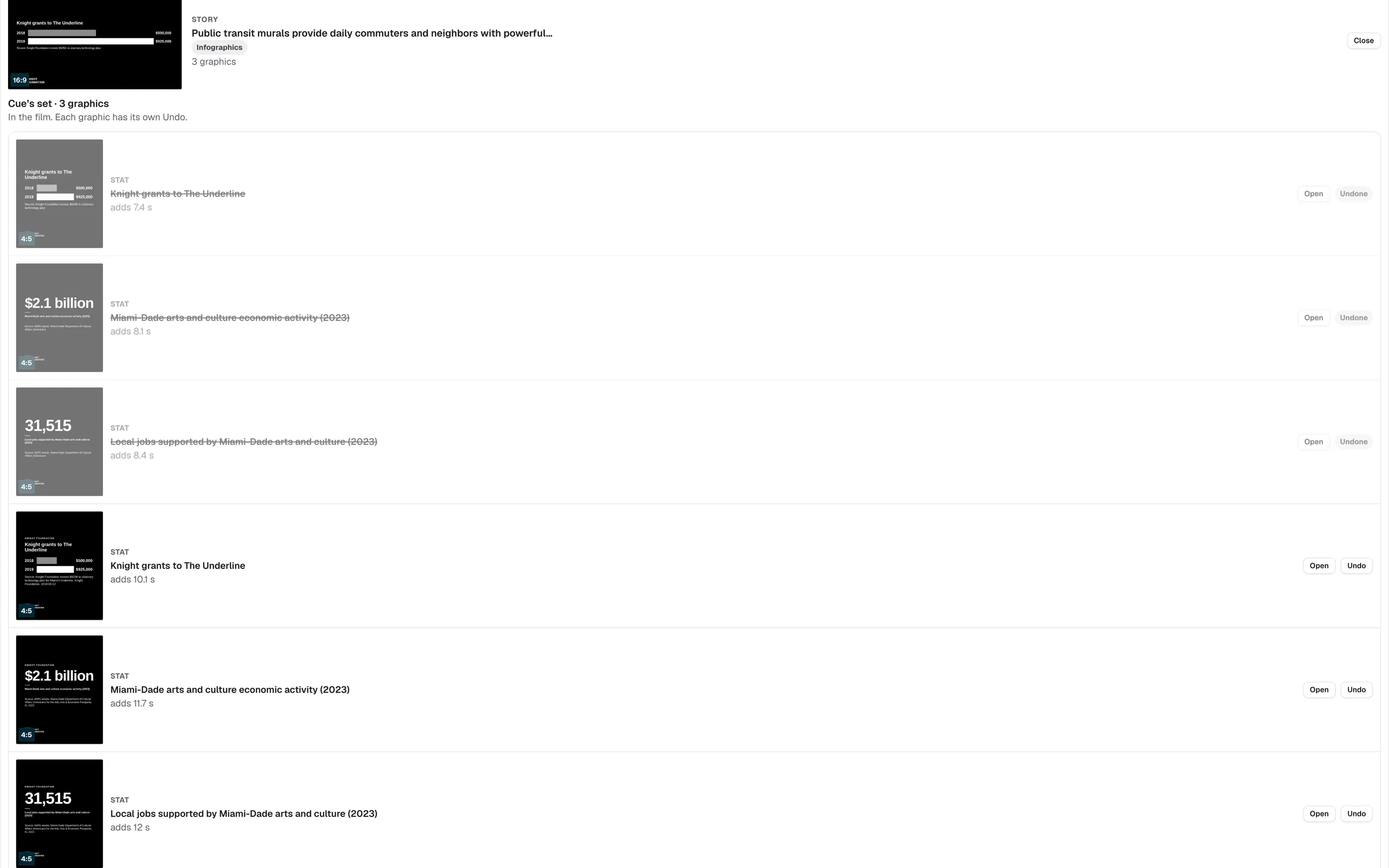
Lower thirds, quote cards, stat cards and end cards, ready to drop into the cut.
See graphics sets Story Pages
A page for each story and audience
Guest reviewers comment before you go live.
See Story PagesStoryboardsTime every beat before you cut
Score the cut and send it to your editor.
See StoryboardsThe Real People Standard
Every frame is someone who said yes.
How we protect your footage →Footage you own
Every frame traces to something your organization shot or licensed. No synthetic people.
Who appears, on record
StoryOS records who appears in each clip and marks anything still missing a release before it goes out.
A person signs off
StoryOS drafts. Someone on your team approves before anything reaches a donor, a board, or an audience.
Day one
Day one is one interview.
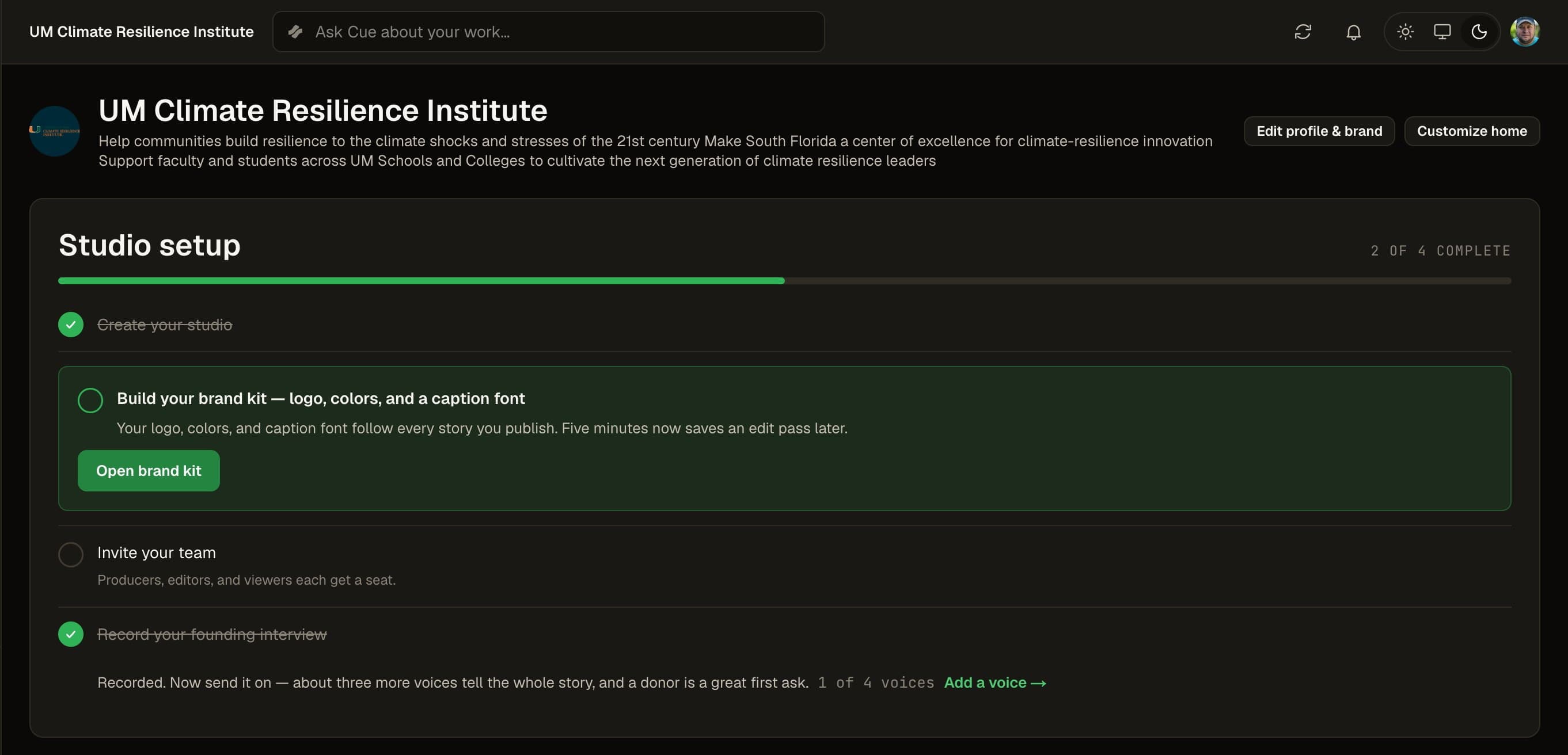
Record the story of your own organization in about 25 minutes. Studio setup walks your team through the rest, and each step ticks itself off when the real thing happens.
Bring us your footage.
Leave your email and we will set up your studio with you.